

Business Central Rapid8 Implementation
Launch Business Central in 8 weeks with a guided implementation approach for businesses needing broader setup and process coverage.
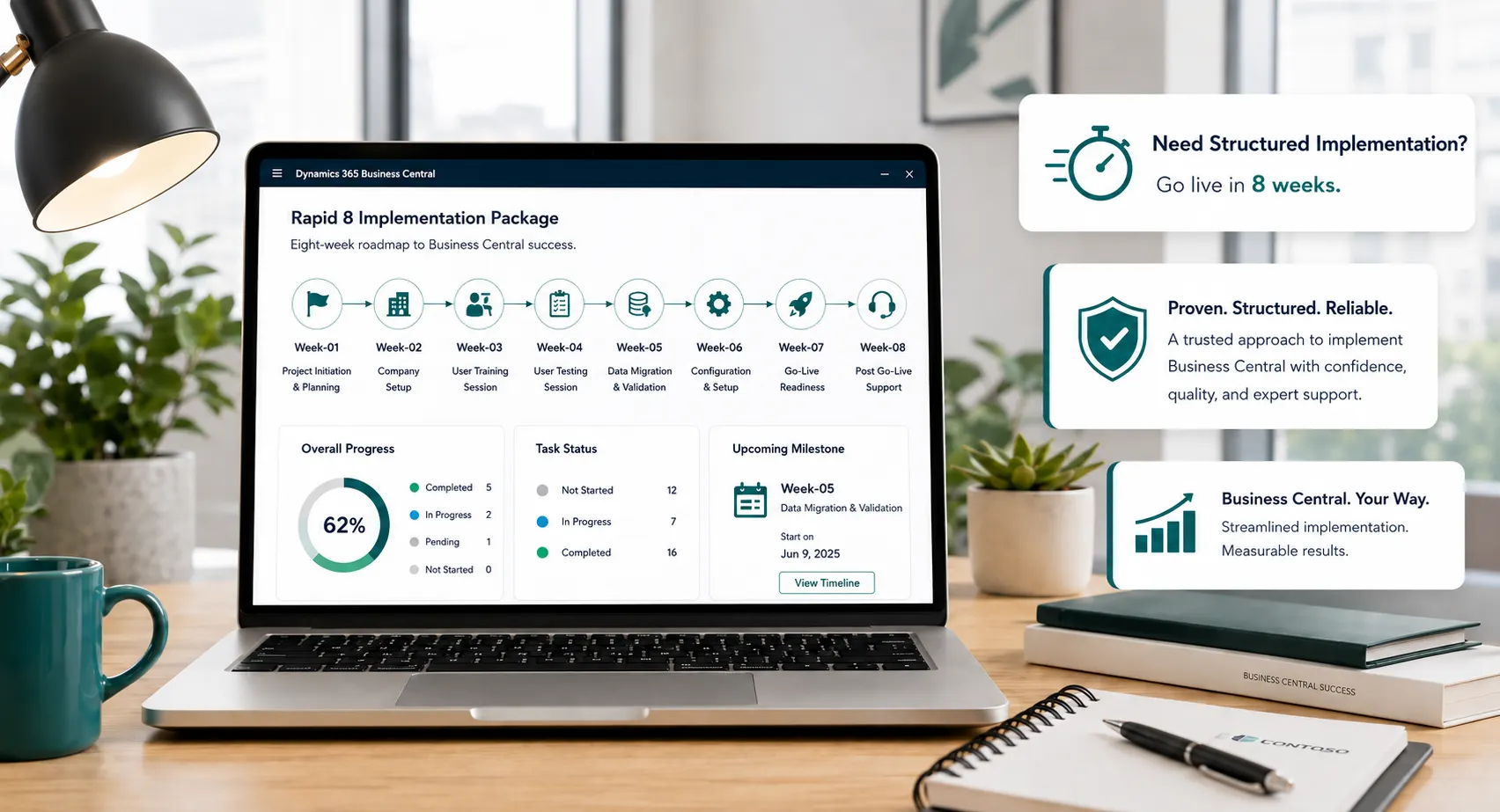
Rapid 8 Implementation Package
Rapid8 is designed to help businesses implement Microsoft Dynamics 365 Business Central through a structured process covering requirement gathering, documentation, configuration, training, UAT, data migration, go-live, and post-go-live support.
Implement Microsoft Dynamics 365
Business Central in just 8 weeks
Transform Your Business with Seamless Business Central Implementation
MICROSOFT
DYNAMICS 365
Business Central
management
management
management
management
management
& analytics
What is Rapid8 Package?
This package includes a comprehensive requirement gathering session where we work closely with the client to understand business needs, department-wise processes, reporting expectations, and operational requirements. Based on the collected information, the Business Central system is configured according to the client’s business structure and implementation scope.
During the configuration phase, we analyze and set up key areas such as chart of accounts, taxation structure, document numbering series, posting configurations, and complete module setups including Purchase, Sales, and Inventory. Once the setup is completed, we conduct a system demo, followed by structured user training and User Acceptance Testing.
Comprehensive requirement gathering session to understand client business needs
Complete Business Central configuration including finance, taxation, posting setup, purchase, sales, and inventory
System demo, user training, UAT, data migration, go-live, and one week post go-live support

Rapid8 Package Implementation Steps
Rapid8 is designed to help businesses implement Microsoft Dynamics 365 Business Central through a structured process covering requirement gathering, documentation, configuration, training, UAT, data migration, go-live, and post-go-live support.
Project Initiation & Requirement Gathering
- Business Process Review
- Scope Confirmation
- Requirement Gathering Session
Requirement Gathering Session
- Detailed requirement discussion
- Department-wise process review
- Gap identification and clarification
Documentation
- Prepare Functional Requirement Document
- Document scope confirmation
- Finalize approved business requirements
System Configuration
- Business Central system configuration
- CRP Session / system demo
- Configuration review and validation
User Training Session
- Key user training session
- Purchase Department
- Sales Department
- Store Department
- Accounts Department
- Admin Department
UAT Session
- User testing session
- User will test all business scenarios
- Issue review and required corrections
Data Migration & Go-Live
- Customer Master
- Vendor Master
- Item Master
- Bank Account Master
- Fixed Asset Master
- Opening Balances
- Launch Business Central: Go-Live
Post Go-Live Support
- Support for 1 week
- User query resolution
- Process stabilization support
What’s Included in Rapid8 D365 Business Central Implementation
Financial Management
- Chart of Accounts
- Dimensions
- Financial Reports
- Analysis View
- G/L Budget
- Journals
Cash Management
- Bank Accounts
- Payment Registration
- Bank Deposits
- Bank Account Reconciliation
- Cash Payment Voucher
- Cash Receipt Voucher
- Bank Payment Voucher
- Bank Receipt Voucher
- Payment Terms
- Payment Method
- Currencies
Accounts Payable
- Vendors
- Purchase Invoice
- Purchase Credit Memo
- Vendor Payments
Accounts Receivable
- Customers
- Sales Invoice
- Sales Credit Memo
- Customer Payments
Purchase Management
- Vendors
- Contacts
- Purchaser
- Purchase Price and Discounts
- Purchase Quote
- Purchase Blanket Order
- Purchase Order
- Purchase Receipt
- Purchase Invoice
- Purchase Return Order
- Purchase Return Shipment
- Purchase Credit Memos
- Purchase Budgets
- Purchase Analysis Reporting
Sales Management
- Customers
- Contacts
- Salespeople
- Sales Price and Discounts
- Sales Quote
- Sales Blanket Order
- Sales Order
- Sales Receipt
- Sales Invoice
- Sales Return Order
- Sales Return Shipment
- Sales Credit Memos
- Sales Budgets
- Sales Analysis Reporting
Inventory Management
- Items
- Item Journal
- Item Revaluation Journal
- Item Reclassification
- Transfer Documents
- Inventory Shipment
- Inventory Receipt
Fixed Asset Management
- Fixed Assets
- FA G/L Journal
- FA Journal
- FA Reclassification Journals
- FA Purchase process
- FA Sales Process
- Depreciation Calculation
Why Choose Us
Leaforge Technologies helps businesses successfully adopt and manage Microsoft Dynamics 365 Business Central with professional implementation, customization, support, upgrade, consulting, audit, and training services.
Our goal is to deliver ERP solutions that are practical, user-friendly, scalable, and aligned with your business needs. Whether you are planning a new implementation or improving your existing Business Central system, we can help you build a reliable ERP foundation for long-term growth.



Business Central–
Focused Expertise
We specialize exclusively in Microsoft Dynamics 365 Business Central. Our consultants have deep functional and technical expertise across finance, supply chain, sales, and operations, ensuring your system is implemented correctly from day one.
Proven Rapid Implementation
Methodology
Our structured rapid implementation framework is based on Microsoft best practices and real-world project experience. This allows us to deliver faster go-lives with minimal risk while maintaining system stability and performance.
Fixed Scope, Predictable
Pricing
We offer clearly defined implementation packages with fixed scope and transparent pricing. This eliminates unexpected costs, helps with budgeting, and gives you complete confidence in project delivery.
Faster Time to Value
By focusing on standard Business Central functionality and minimizing unnecessary customization, we help you go live quickly and start realizing business benefits sooner — improved visibility, better control, and streamlined operations.
User Training & Adoption
Focus
We don’t just implement software — we ensure your team can use it effectively. Our role-based training approach helps users adopt Business Central quickly and confidently, maximizing ROI.
Strong Post-Go-Live
Support
Our partnership doesn’t end at go-live. We provide post-implementation support, optimization, and enhancements to ensure your Business Central system continues to grow with your business.